 Sparkle

Swipe up to keep
Love it? Swipe up and it stays right where it is.
Sort. Swipe. Sparkle
Swipe through your photos one month at a time. Keep the best shots, sweep away the clutter, and get your iPhone storage back.
Less Clutter. More Memories.
 Launching November 7, 2026
For iPhone. 7-day free trial.
The moment it’s live, you’ll want to be first. Follow us on Instagram and DM the word SPARKLE, and we’ll send you the download link on launch day, plus a 2-week free trial.
Follow us on Instagram
You already know these moves from the apps you scroll every day.
Love it? Swipe up and it stays right where it is.

Mark blurry shots and duplicates. Nothing is deleted until you review and confirm.
Not sure? Send it to Review Later and decide another day.

Found a good one? Send it to someone without leaving Sparkle.
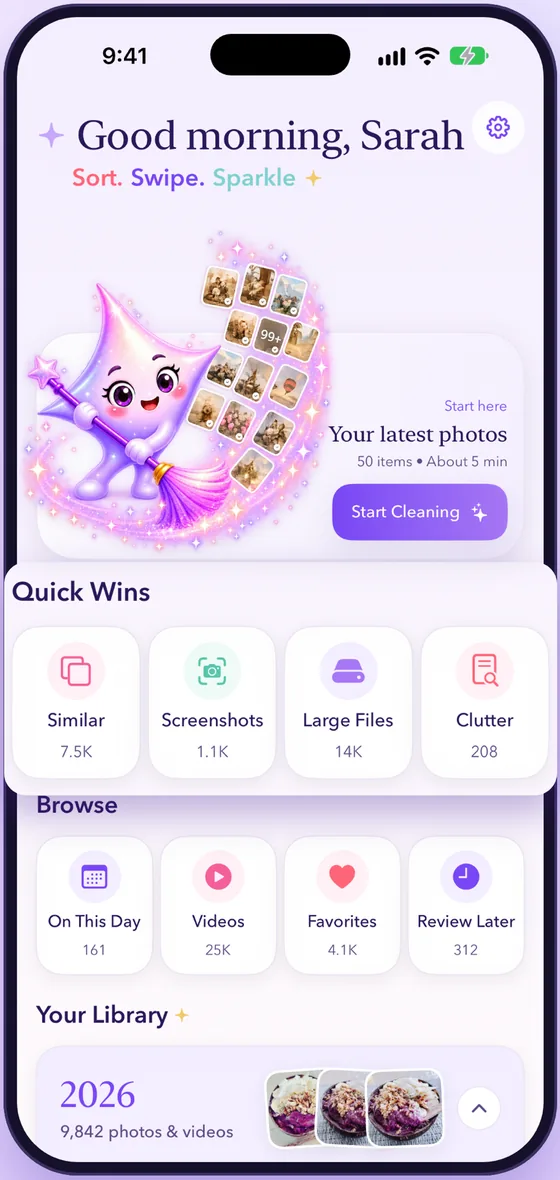
Your library is organized by year and month, so you can clean one month at a time. Start with your latest photos or jump to any month and swipe.

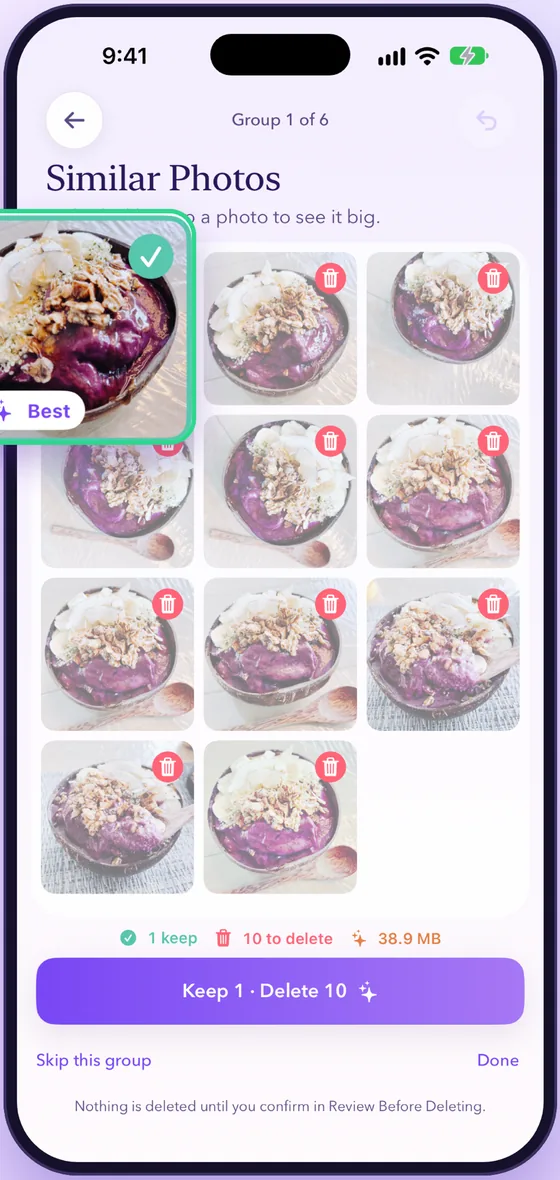
Sparkle groups near-identical photos and suggests a best shot to keep. You choose what goes, and nothing is deleted until you confirm.
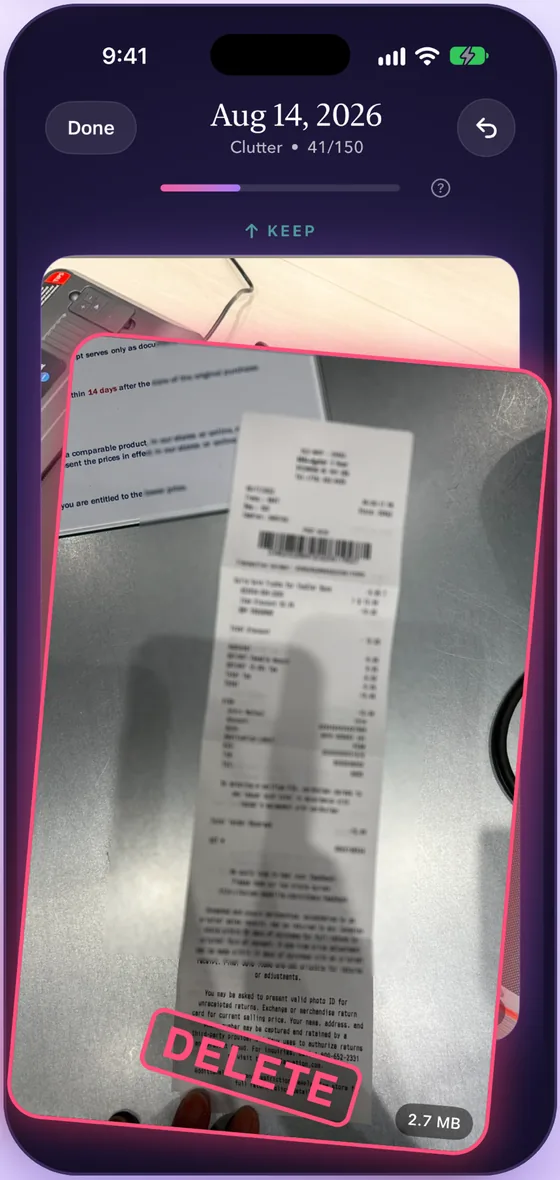
Receipts, screenshots, and other camera roll leftovers are easy to spot in their own queue. Large Files shows what's taking up the most space.

On This Day brings back photos from this date in past years. Keep your favorites, share a good one, and clear the rest.
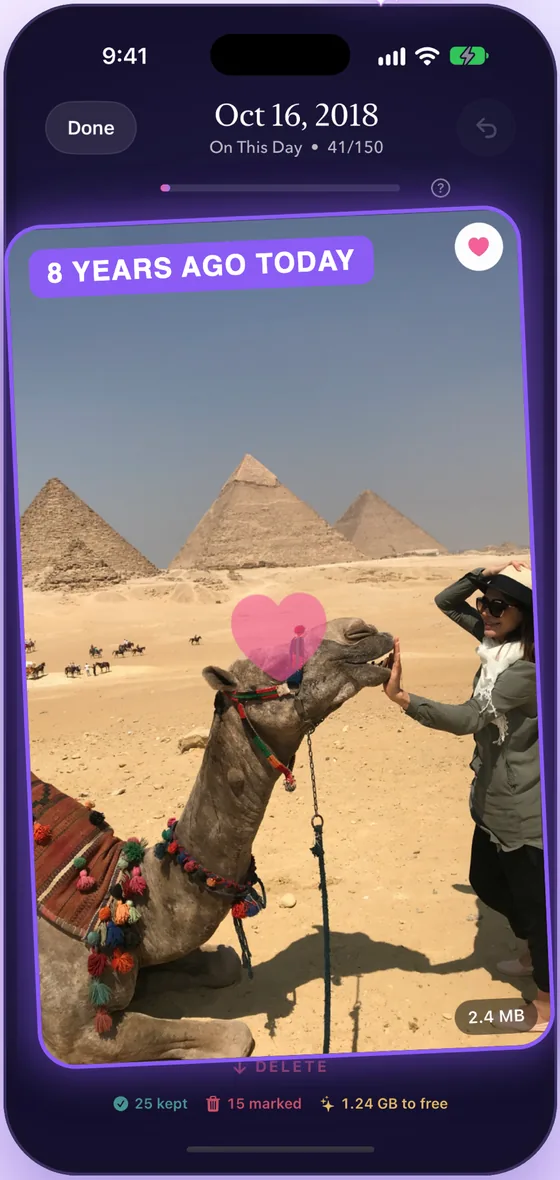

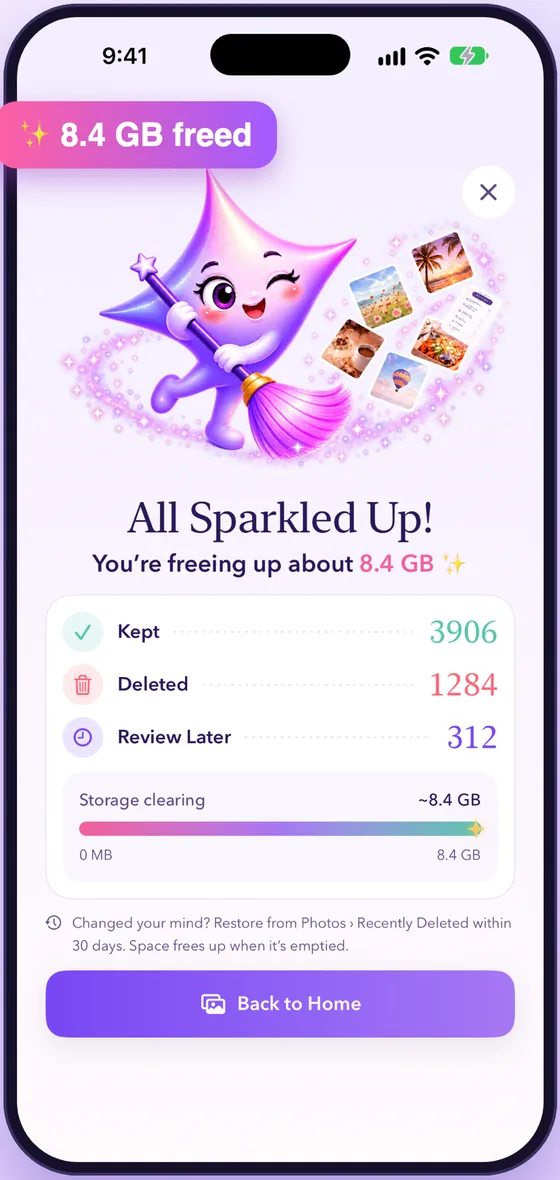
See how much space you're clearing as you go. Deleted photos move to Recently Deleted, where you can restore them for 30 days. Storage frees up once it's emptied.

Everything happens on your iPhone. Nothing is uploaded. No account, no ads, no tracking.
Choose your plan when you start. No payment due today.
Billed monthly after your free trial.
Just $3.33/mo, billed yearly after your free trial.
7 days free, then billed based on the plan you choose. Cancel anytime in the App Store.
Less Clutter. More Memories.
Launching November 7, 2026
The moment it’s live, you’ll want to be first. Follow us on Instagram and DM the word SPARKLE, and we’ll send you the download link on launch day, plus a 2-week free trial.
Follow us on Instagram